How to upload
Home › Help
There are only 3 files. Download each one from Jio Partner Central and upload it to the app.
1Daily Recharge (Cash)Every day · Daily Cash → Upload recharge report
2MNP / ActivationEvery day + after each lap · MNP / Activation → Upload
3349% Recharge ContributionEvery day · MNP / Activation → Upload → 349%
Login first: open partnercentral.jioconnect.com in Chrome → SIGN IN → enter your PRM ID and password. Use a laptop or desktop.
1Daily Recharge (Cash)
Every day
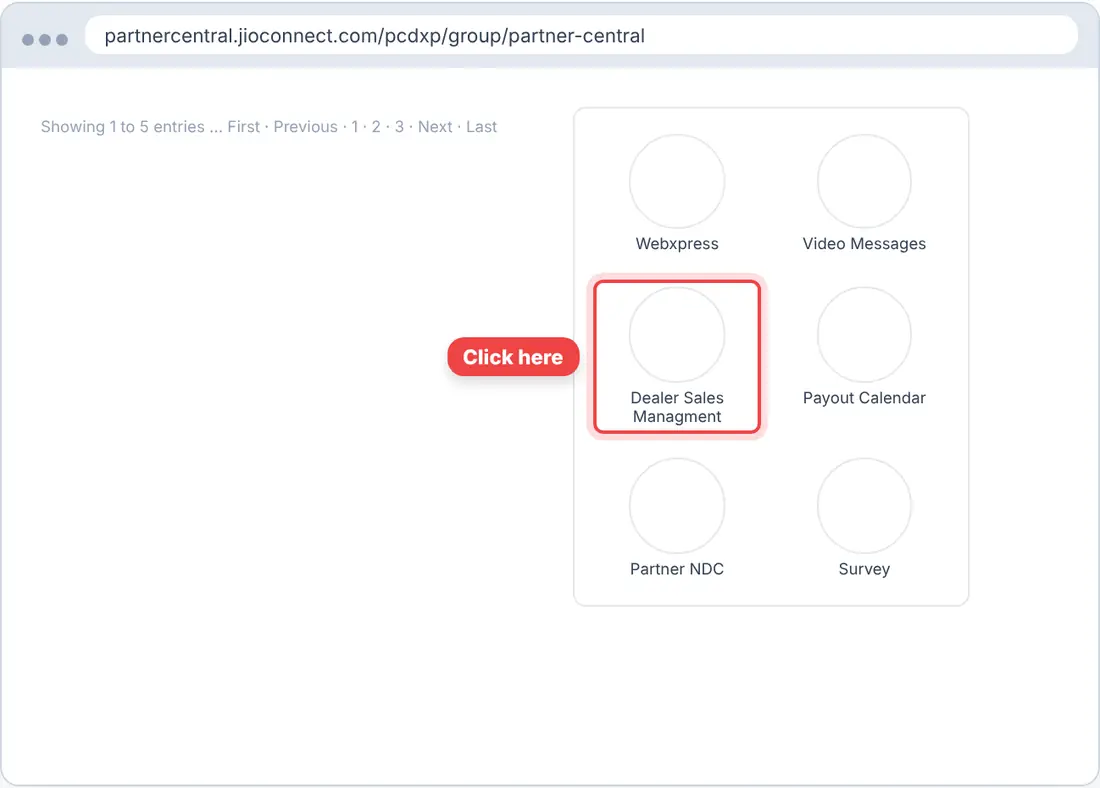
▶ Watch the video- On the Inbox, scroll down Applications and click Dealer Sales Managment. It opens in a new tab.
 Tap the picture to enlarge
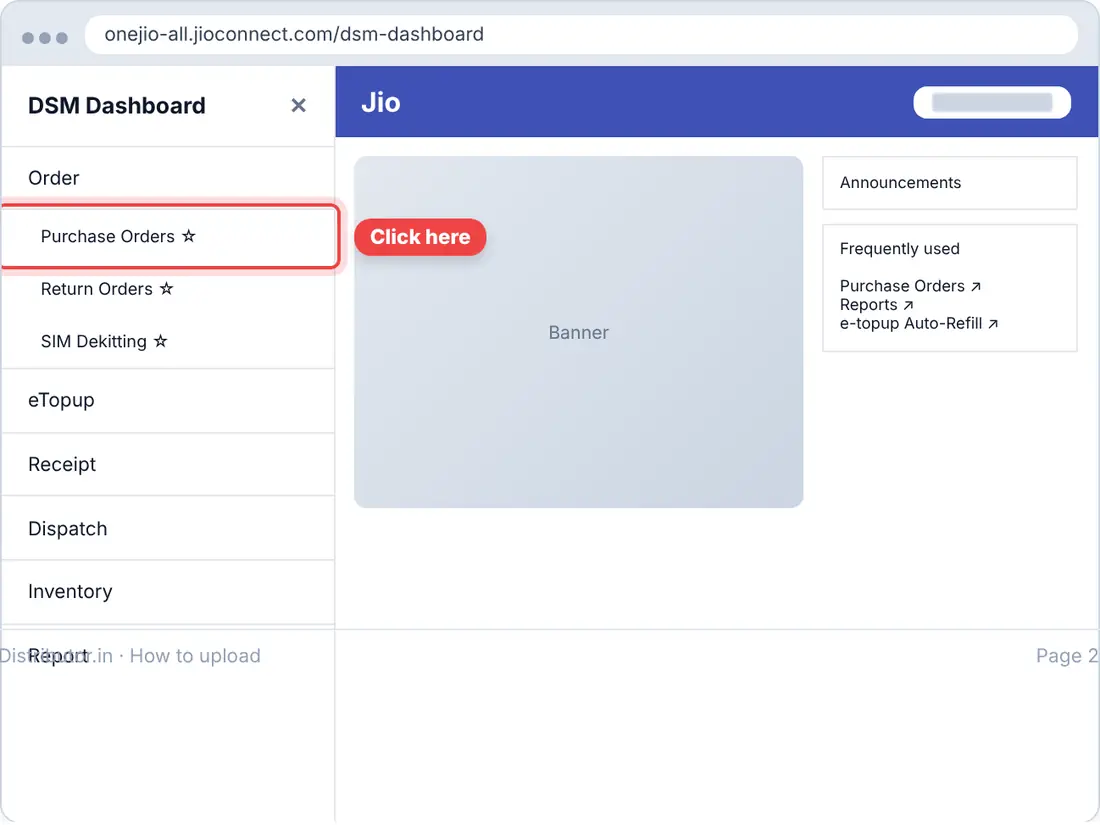
- Under Order, click Purchase Orders. It opens in a new tab.
 Tap the picture to enlarge
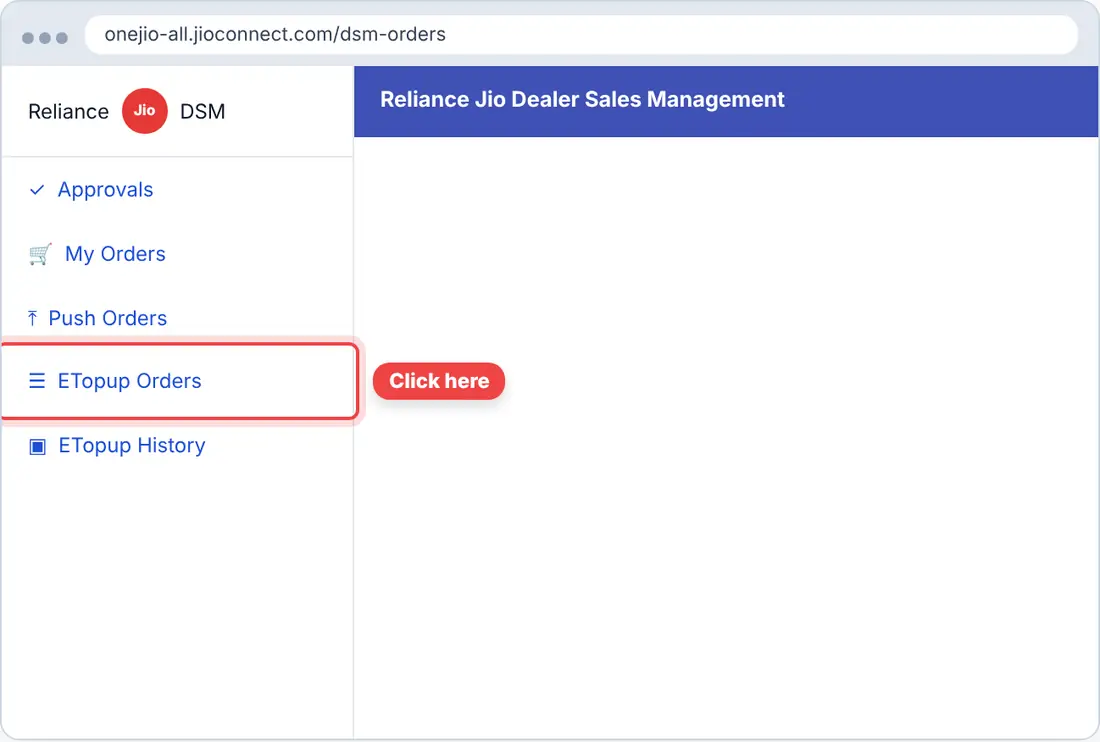
- Click ☰ at the top left, then ETopup Orders.
 Tap the picture to enlarge
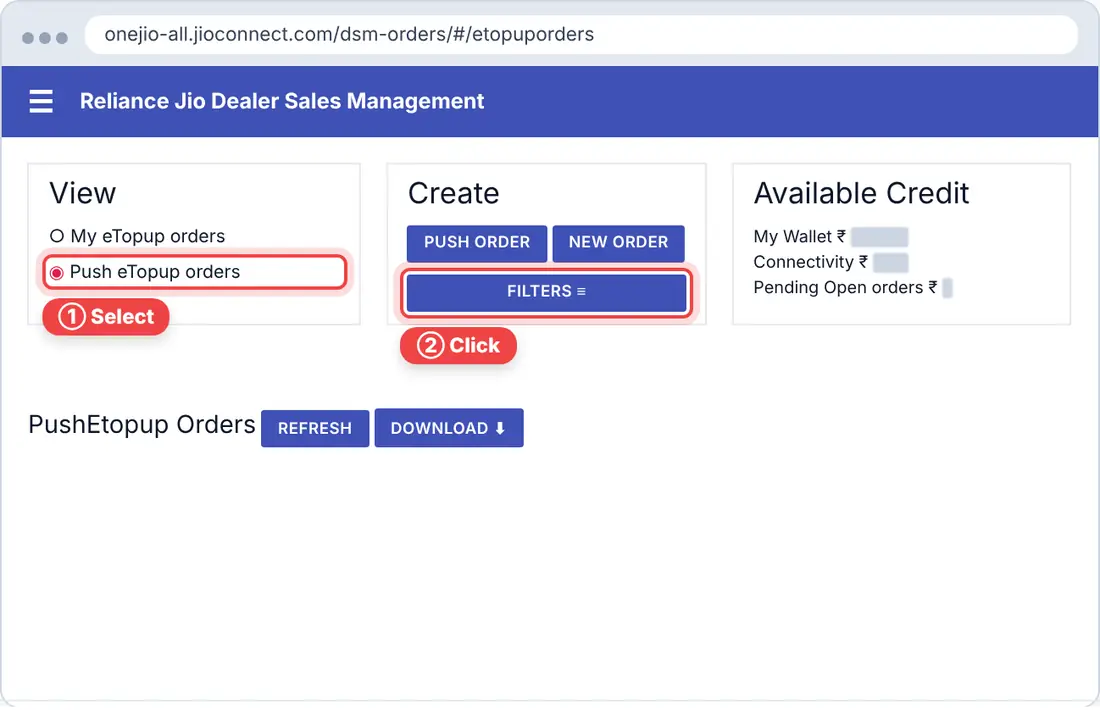
- Select Push eTopup orders, then click FILTERS.
 Tap the picture to enlarge
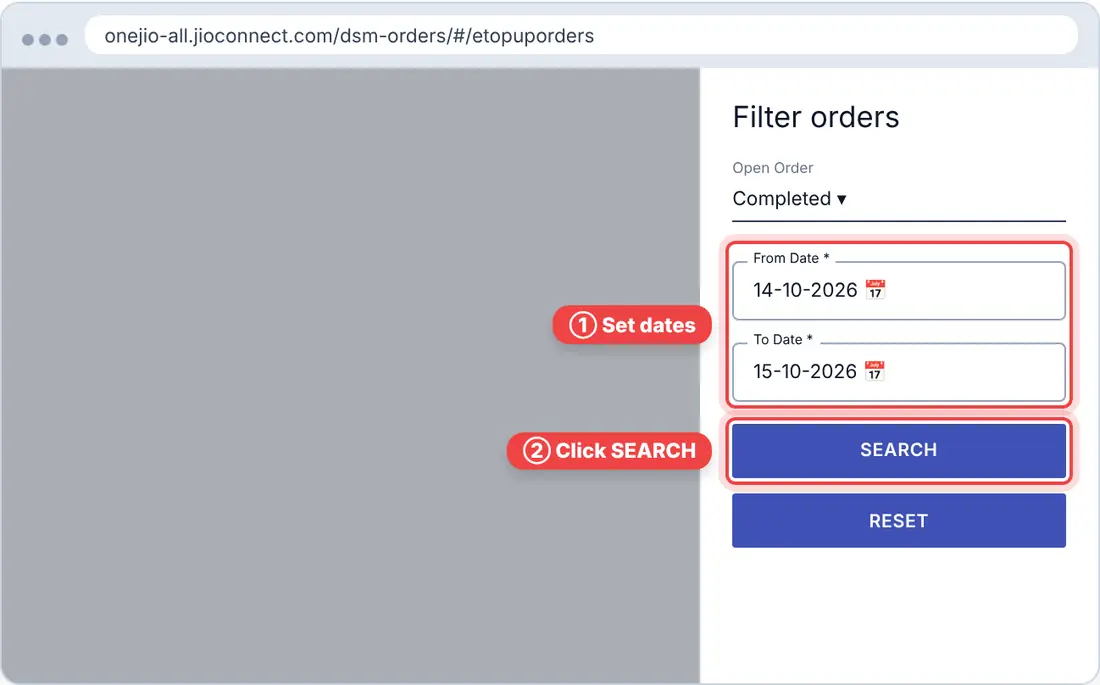
- Set the dropdown to Completed, set the From and To dates, then click SEARCH.
 Tap the picture to enlarge
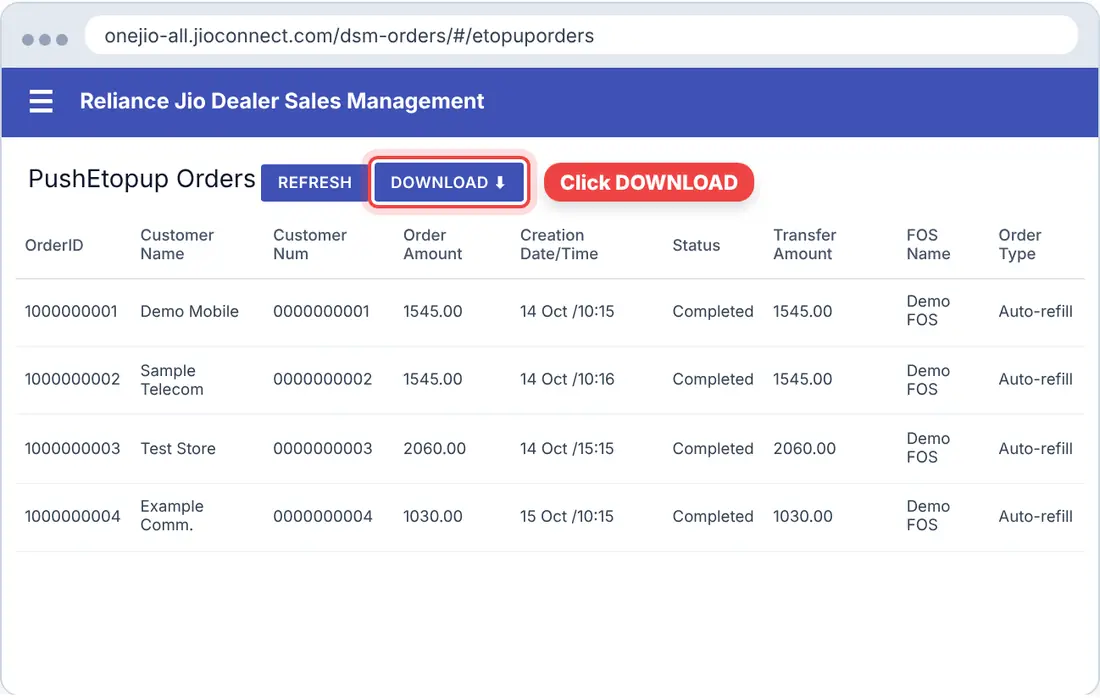
- Click DOWNLOAD.
 Tap the picture to enlarge
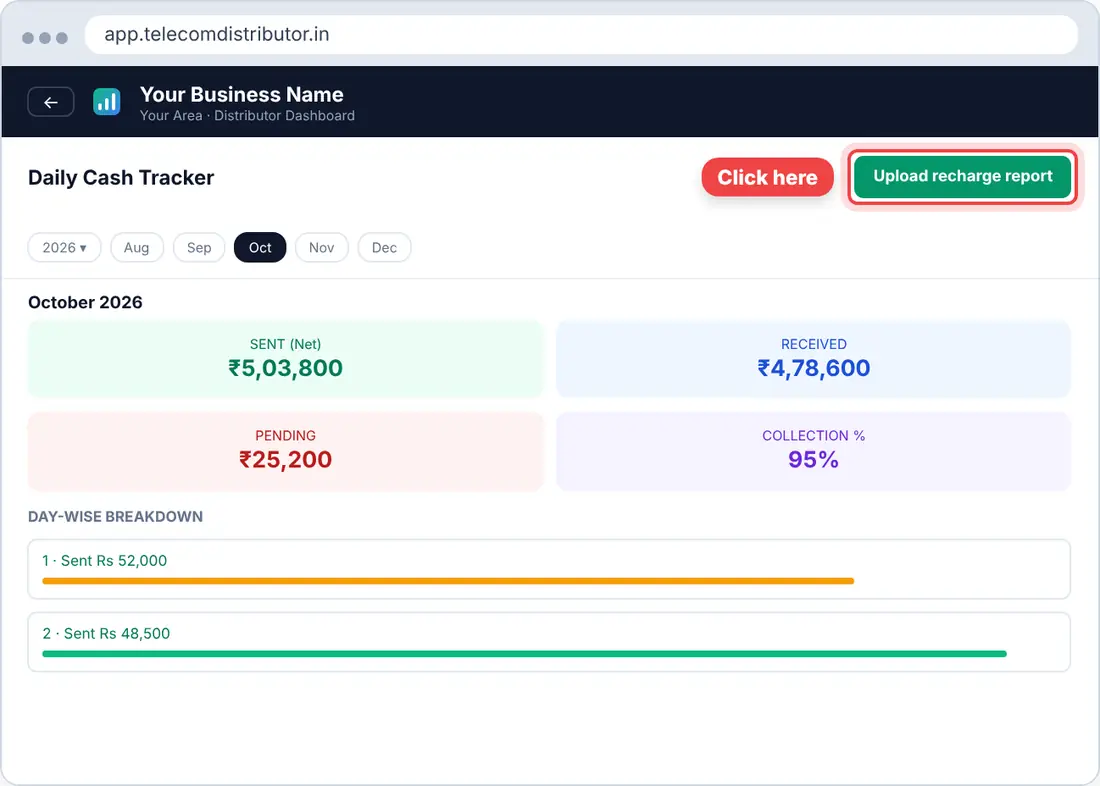
- In the app, open Daily Cash and click Upload recharge report. Pick the downloaded file.
 Tap the picture to enlarge
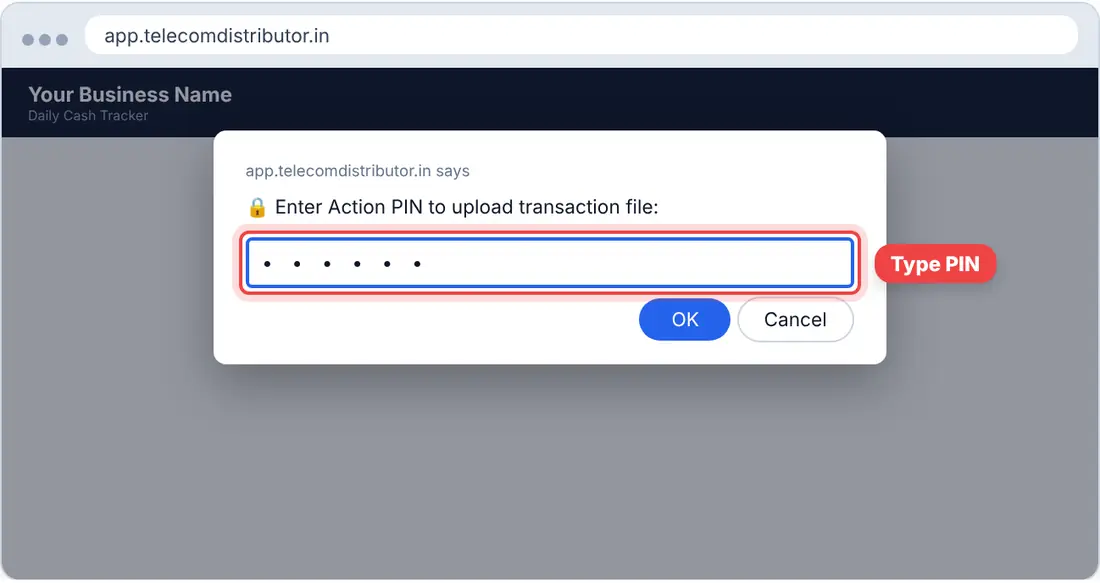
- Enter your 6-digit PIN and click OK. Done.
 Tap the picture to enlarge
2MNP / Activation
Every day, plus once after each lap
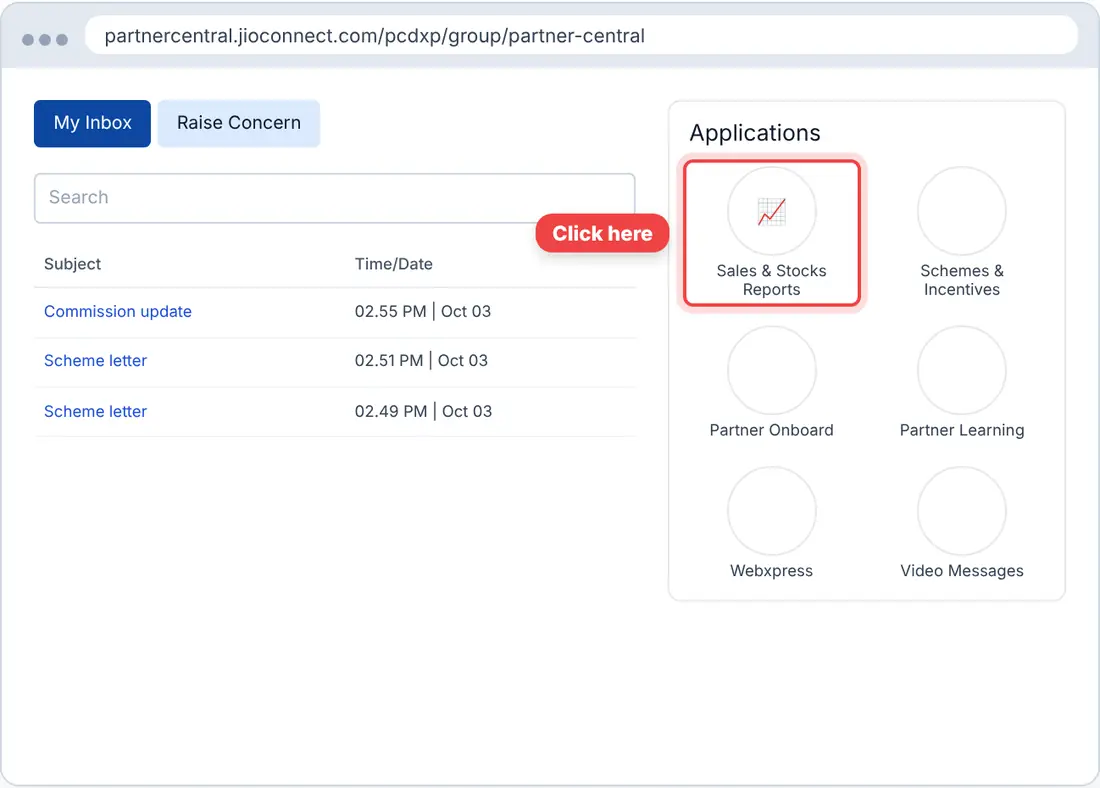
▶ Watch the video- On the Inbox, under Applications, click Sales & Stocks Reports.
 Tap the picture to enlarge
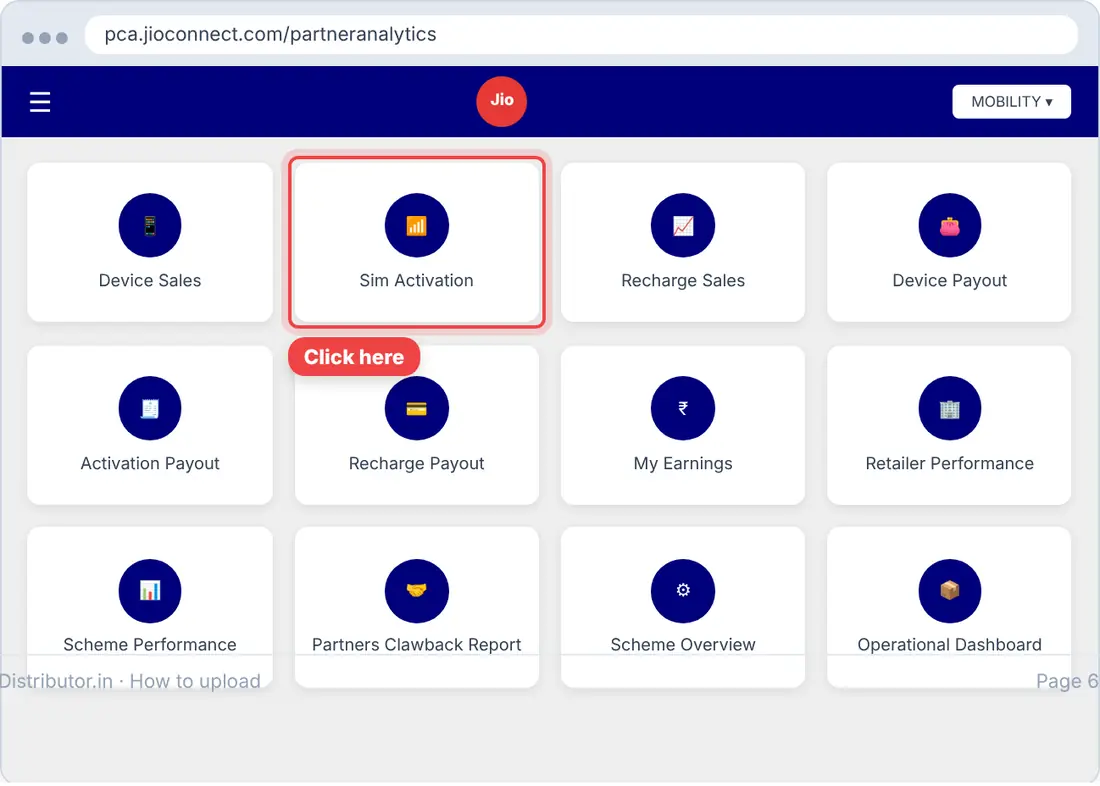
- Click Sim Activation.
 Tap the picture to enlarge
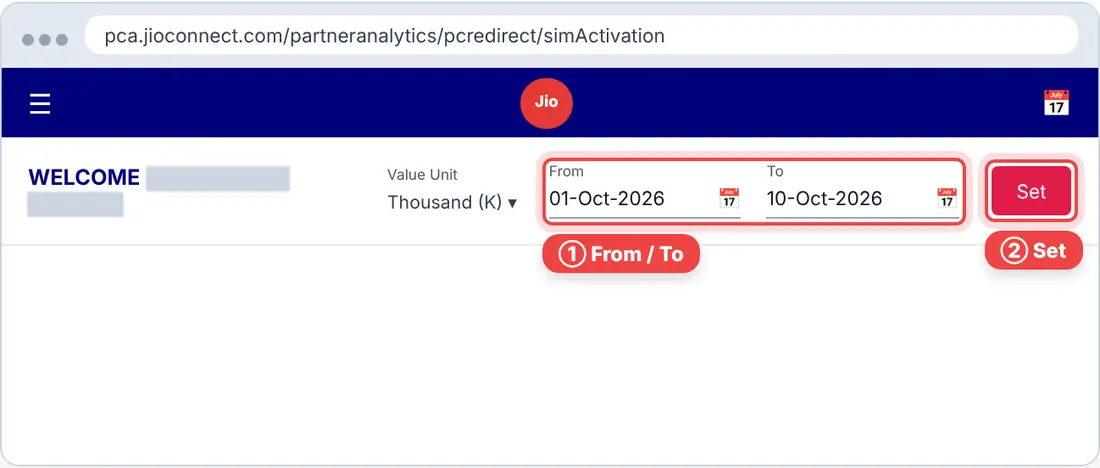
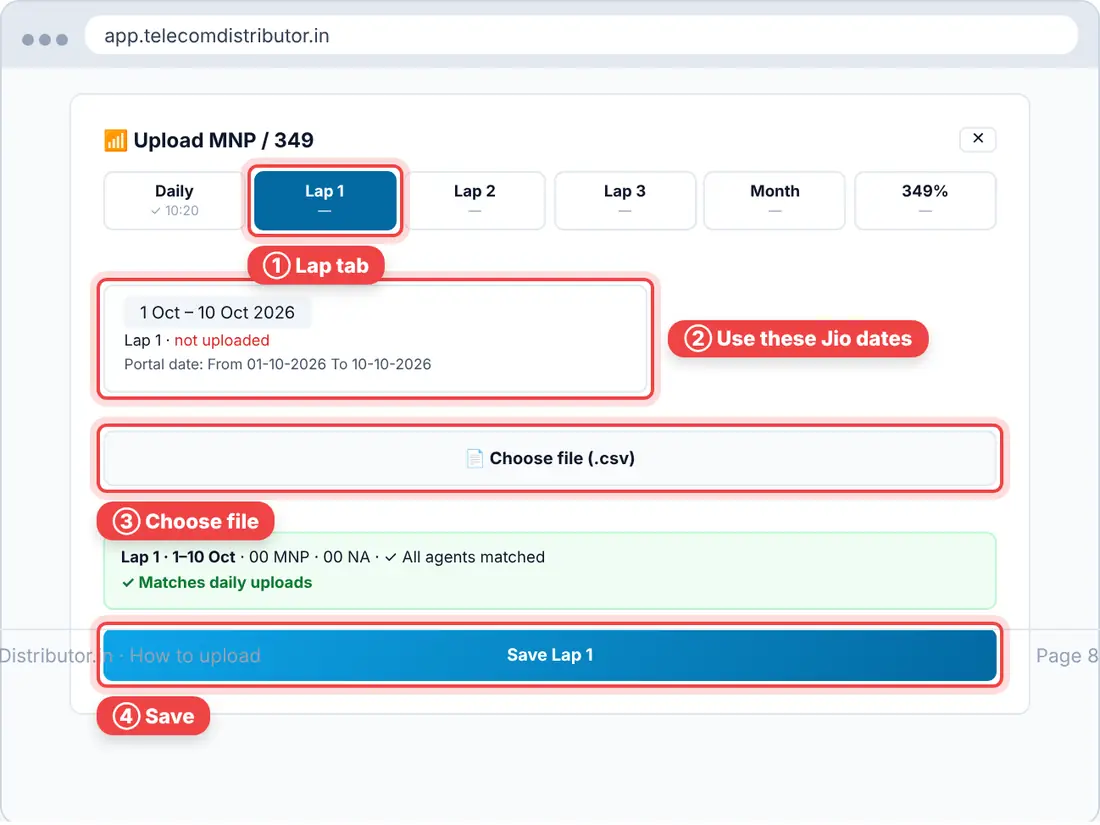
- Set the From and To dates, then click Set.Daily: the same date in both (yesterday) · Lap 1: 01–10 · Lap 2: 11–20 · Lap 3: 21–month end
 Tap the picture to enlarge
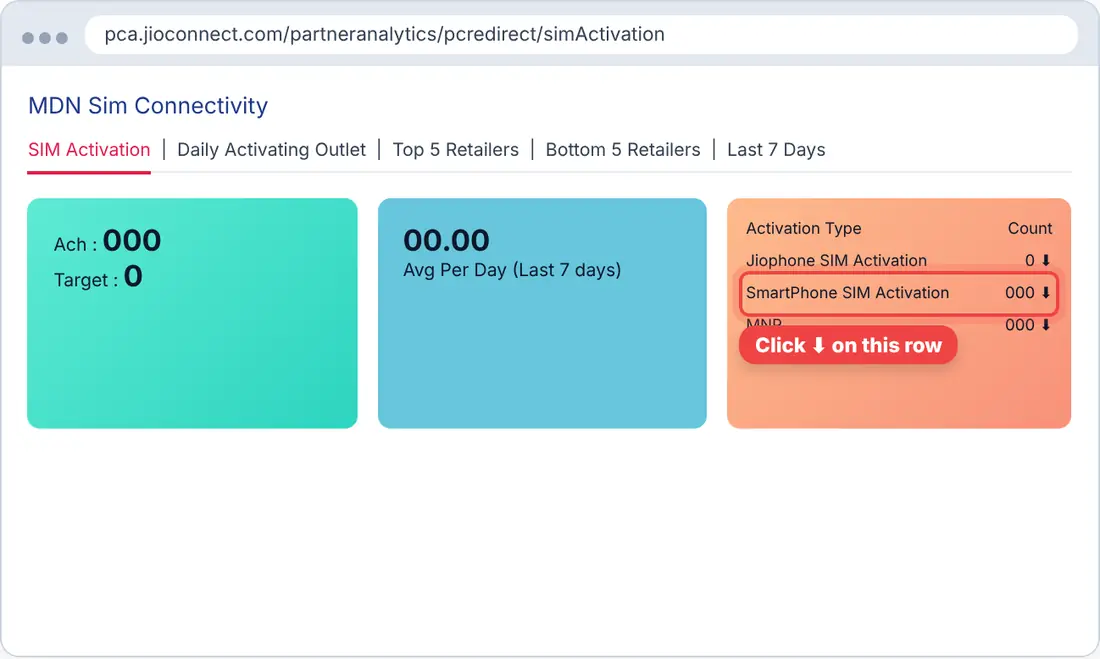
- In Activation Type, click ⬇ on the SmartPhone SIM Activation row.
 Tap the picture to enlarge
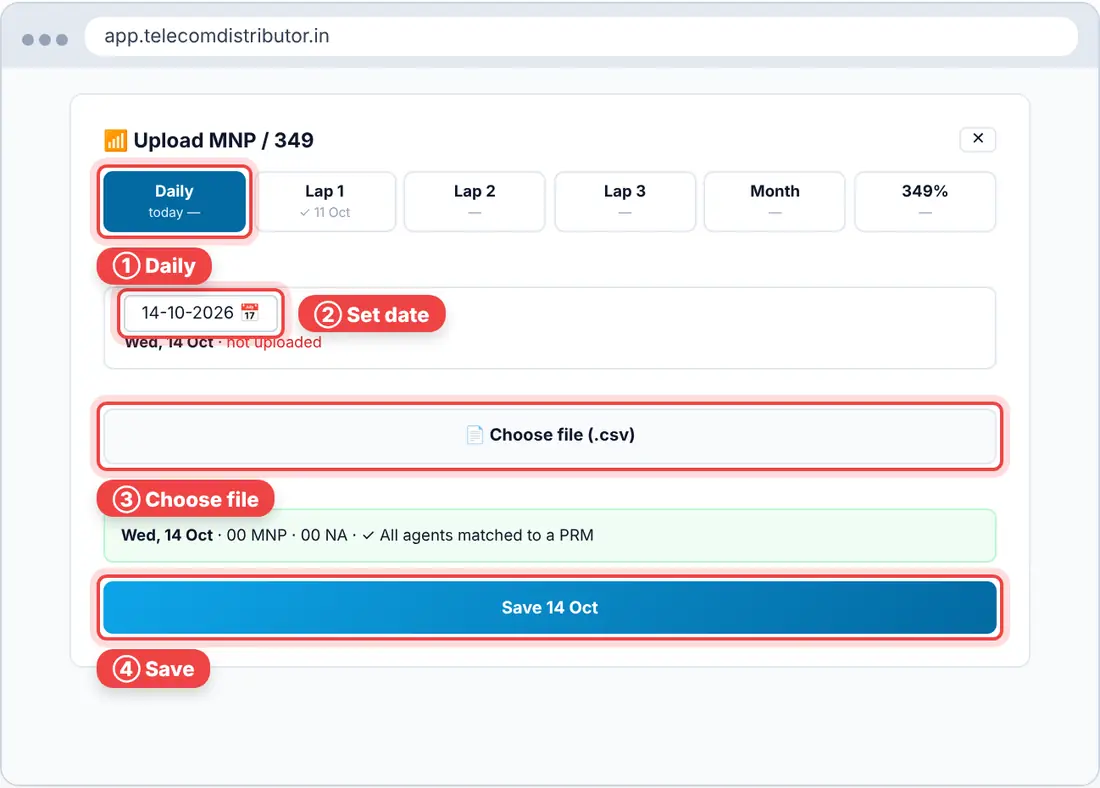
- Daily: in the app, go to MNP / Activation → Upload and open the Daily tab. Set the date, click Choose file, then Save.
 Tap the picture to enlarge
- Lap: in the same window, open the Lap 1 / 2 / 3 tab. Click Choose file, then Save.
 Tap the picture to enlarge
3349% Recharge Contribution
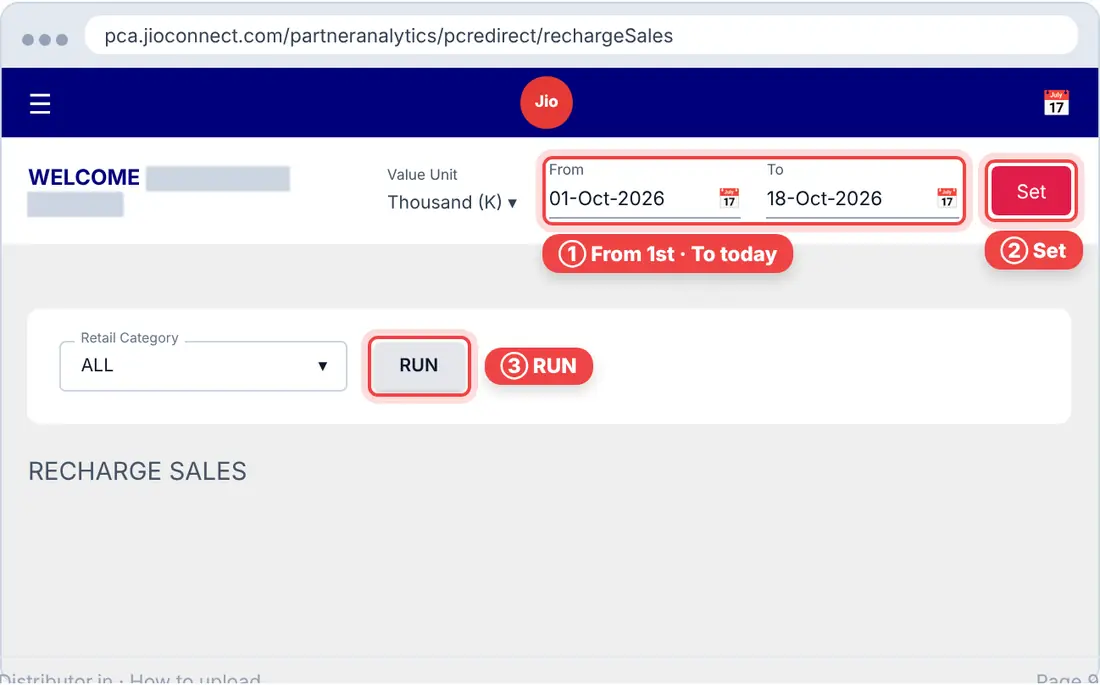
Every day, from the 1st of the month to today
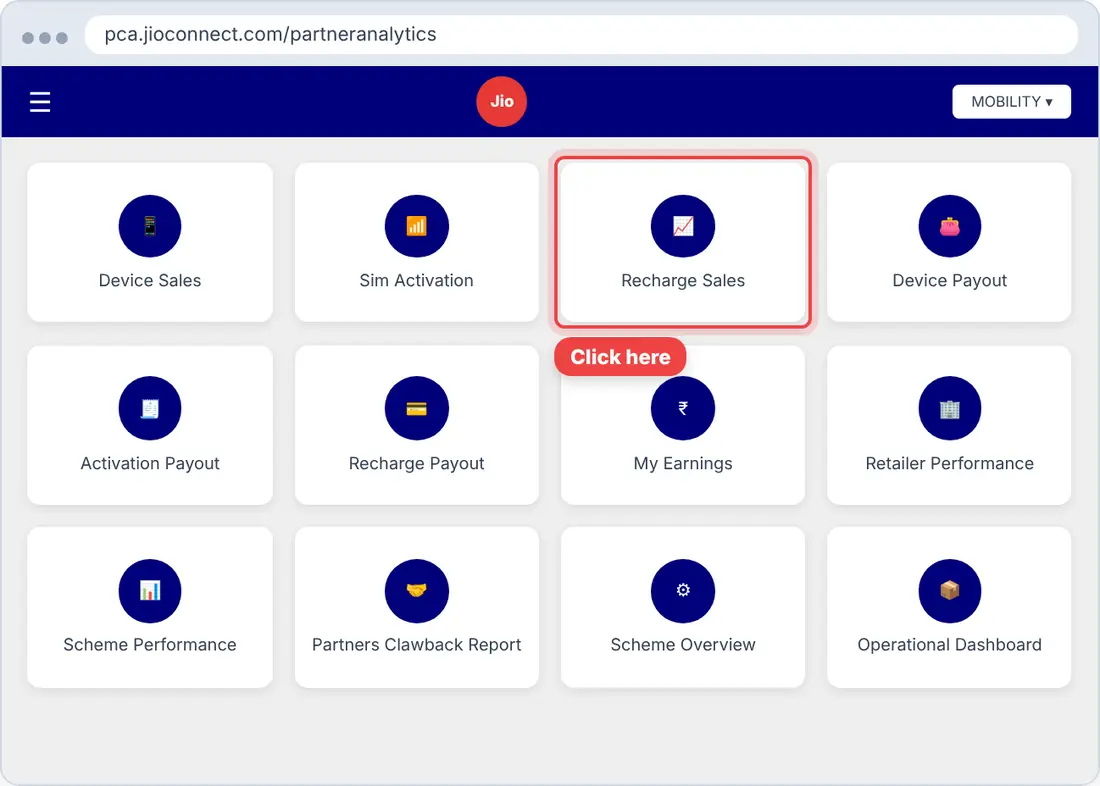
▶ Watch the video- In Sales & Stocks Reports, click Recharge Sales.
 Tap the picture to enlarge
- Set From to the 1st of the month and To to today. Click Set, then RUN.
 Tap the picture to enlarge
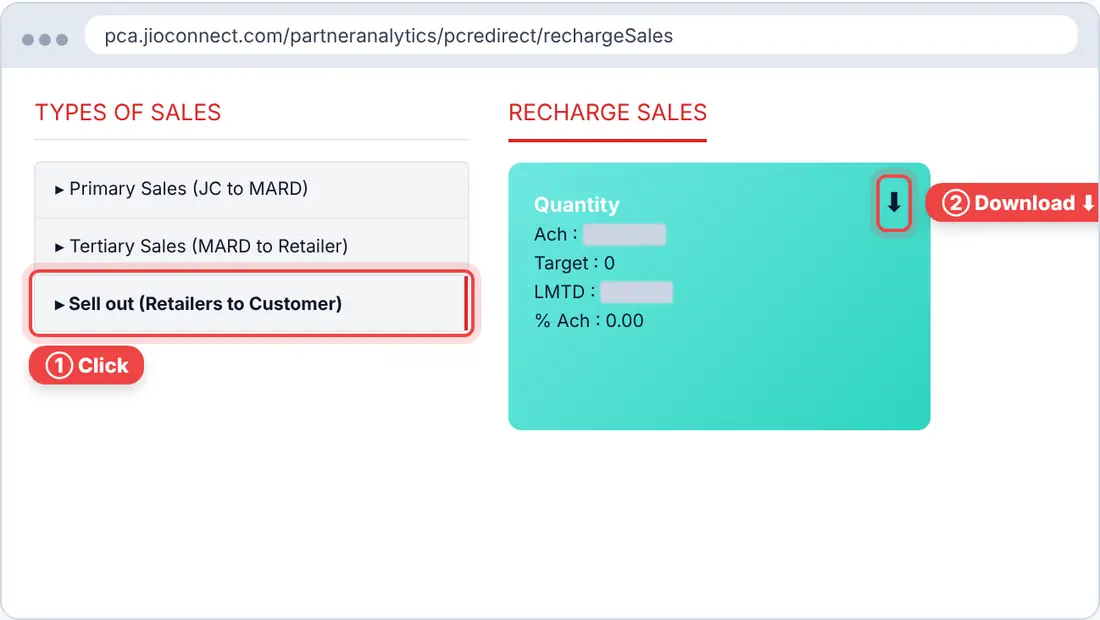
- Click Sell out (Retailers to Customer), then click ⬇ on the Quantity card.
 Tap the picture to enlarge
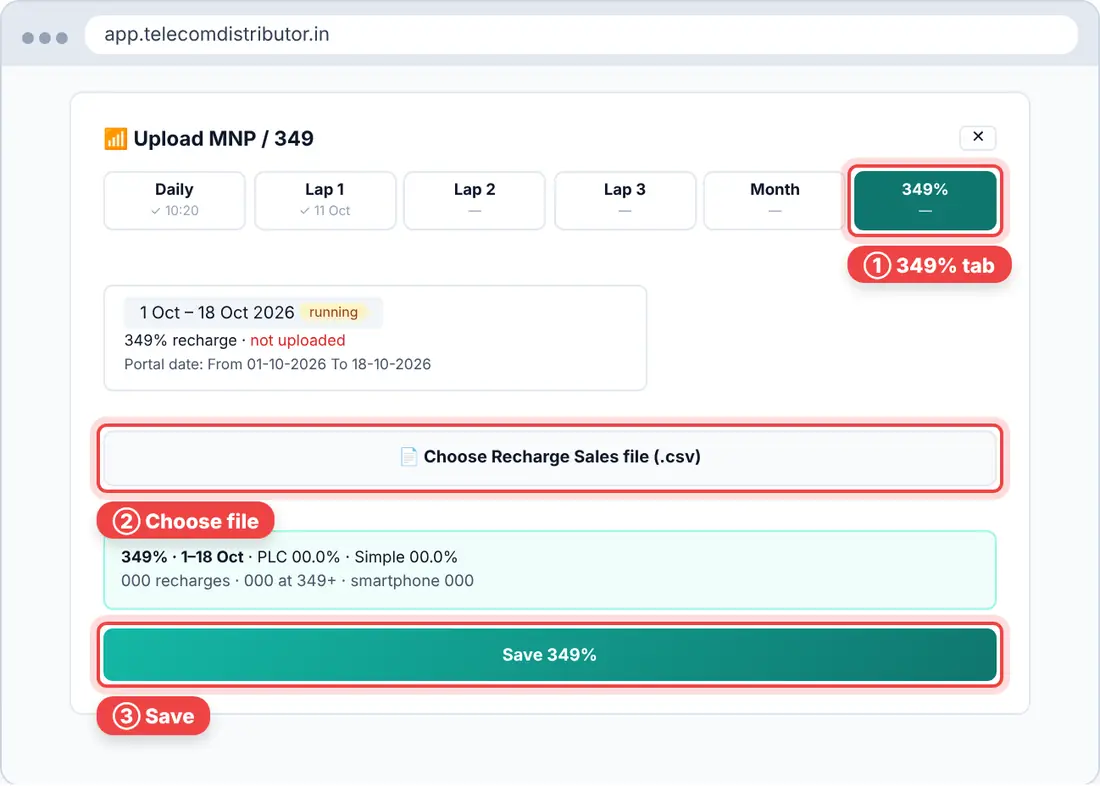
- In the app, go to MNP / Activation → Upload and open the 349% tab. Click Choose file, then Save 349%.
 Tap the picture to enlarge
Quick questions
I uploaded the same file twice. Will it count double?
No. The newest upload replaces the same days, so nothing is counted twice.
"Could not read this file" or "This doesn't look like the SIM Activation file"
You picked the wrong file. Download it again from Jio and upload it without opening it in Excel.
I don't see the Upload button.
Only Owner and Manager logins can upload. Ask the owner to change your role in Manage Team.
I forgot the PIN, or it's locked.
After 5 wrong tries, uploads lock for 5 minutes. The owner can reset the PIN in Manage Team → Security.
Still stuck? WhatsApp 88776 69993 or email contact@telecomdistributor.in with a screenshot. Never share your Jio password or app PIN.